Imagine a patient arriving for a scheduled blood test, only to learn that the lab cannot provide its normal service. The staff may be ready to help, but the computer systems they depend on are not available. That is one reason a technology outage in healthcare can be so disruptive.
The Monadnock Community Hospital cyber incident is a reminder for medical offices and other small businesses: how will your staff keep working if important computer services stop? The hospital's November 25 update shows why a plan for downtime is just as important as a plan to protect your systems.
In this article
- What happened at Monadnock Community Hospital?
- Why a hospital computer outage matters to small clinics
- How to prepare a clinic for a computer outage
- Restore systems safely, not just quickly
- Frequently asked questions
- Start with one practical step
What happened at Monadnock Community Hospital?
On November 8, 2026, computer service problems began at Monadnock Community Hospital in Peterborough, New Hampshire. On November 16, the hospital confirmed that a cyber incident caused the outage, as reported by Becker's on November 17. On November 23, New Hampshire Public Radio reported that the hospital was still working to restore several important services.
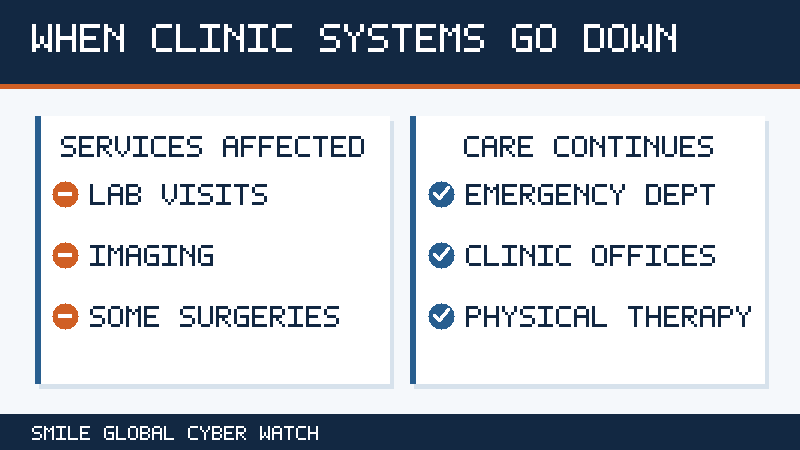
On November 25, the hospital's own service update said it had canceled lab visits, radiology visits and some major elective surgeries until further notice. Ambulances were still being directed to other facilities. The emergency department remained open, as did clinician offices and rehabilitation and physical therapy services.
The hospital said its staff and outside cybersecurity specialists were working to bring its technology back safely. It did not give a date for full recovery. The earlier public reporting says investigators were still trying to determine what data, if any, was affected. We do not know whether ransomware was involved, who was responsible or how the incident began.
Why a hospital computer outage matters to small clinics
Think about a normal morning at a medical office. A receptionist checks the appointment list. A nurse looks up a patient's records. A doctor sends an order to a lab. The billing team reviews an insurance claim. Each of these tasks may rely on a different computer system.
If one system stops working, the effects can spread. A lab may still have staff and equipment but be unable to schedule tests or send results through the usual process. A clinic might be able to see patients while having trouble receiving faxes. These are examples of how downtime can affect care, not claims about the exact software used at Monadnock.
Small clinics may have fewer employees to cover extra work when computer systems fail. A paper process can help, but only if the staff know when to use it, where to find it and how to protect the records they create. It is also important to know which tasks can safely wait and which need a different way to get done.
Other businesses face a similar problem. A company that cannot access its orders, inventory or invoices may still have people ready to work. The question is whether it has a safe way to continue serving customers.
How to prepare a clinic for a computer outage
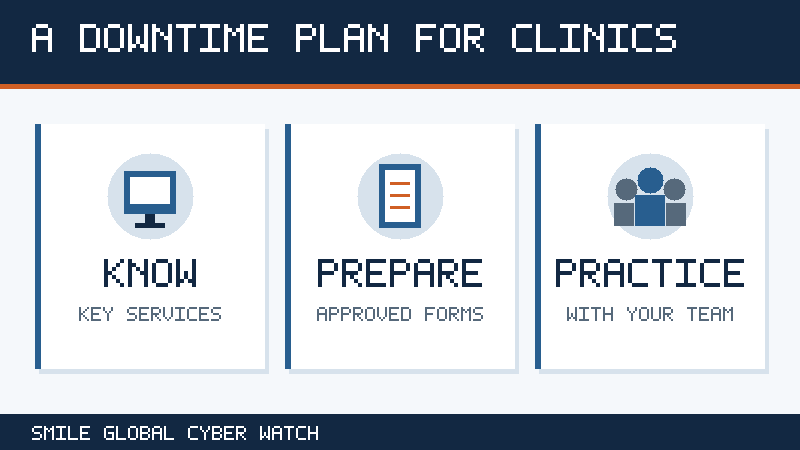
Begin by identifying the services your office depends on most. For a clinic, that might include scheduling, patient records, phones, prescription requests and communication with labs. For a shop, it might include payment processing and inventory. Write down which staff members are responsible for each service.
Next, decide what can be done without your regular computer systems. Keep approved downtime forms and a current contact list in a place that staff can reach. Follow your organization's privacy rules when using paper records. Do not use a personal email account or an unapproved messaging app to move sensitive information simply because the normal service is unavailable.
Make a plan for answering customer and patient questions. Choose one reliable place to post service updates. If your website is unavailable, have another approved way to communicate. Give staff a short script that explains what is known, which services are affected and where people can find current information.
Review the plan with employees before a real outage. A short practice session can reveal missing contact numbers, forms that are difficult to find or tasks that depend on a single person. Include your IT provider in the exercise so they know which services need to return first.
Restore systems safely, not just quickly
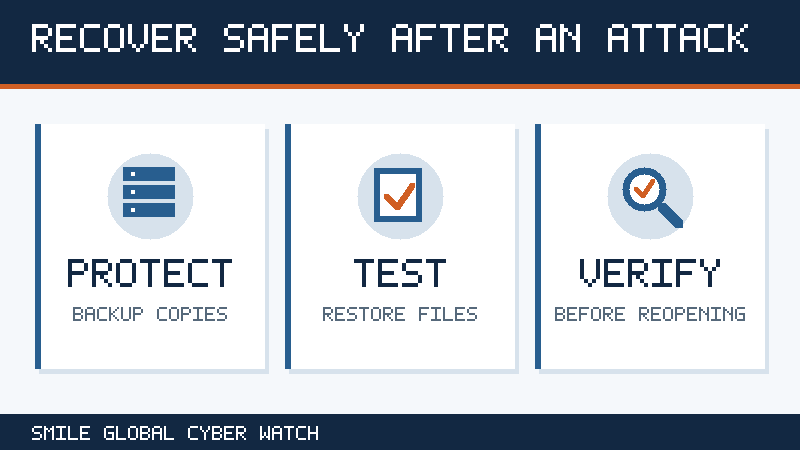
A backup is a copy of information that can help you recover when files or systems are lost. A recovery plan explains how to use those copies to get back to work. Both matter. A backup alone does not tell your team which system to restore first or whether it is safe to bring that system back online.
Ask your IT provider to show how important backups are protected and tested. Test the recovery of a file and, when appropriate, a whole system. Make sure the people who manage backups can still reach the tools they need if the normal office network is unavailable.
During a cyber incident, restoring a system too soon can create new problems. Your IT and security teams may need to preserve evidence, check for unwanted access and make sure the source of the problem is addressed. Once the system is ready, staff should confirm that information created during downtime is entered correctly and that outstanding requests are not lost.
Keep software current, limit who can manage critical systems, and use strong sign-in protection. Around-the-clock security monitoring can help your IT team detect and investigate unusual activity. These measures reduce risk, but none can promise that an outage will never happen.
Frequently asked questions
Is the emergency department at Monadnock open?
The hospital's November 25 update says its emergency department remains open all day, while ambulances are still diverted. Patients should check the hospital's own current updates before making decisions about scheduled services. For a medical emergency, call 911.
Was patient information stolen?
That has not been established in the sources reviewed. A confirmed cyber incident does not automatically mean patient records were stolen. The hospital has said it will notify affected people if its investigation identifies sensitive information.
Can patients still pay bills?
The hospital says its online billing system is operating and also offers payment by mail. Use the official hospital website or a trusted billing contact. Its website separately warns about fraudulent payment texts; the hospital has not established a connection between those texts and the outage.
Does a backup prevent a cyber incident?
No. A backup helps your business recover. Access controls, updates, monitoring and a tested recovery plan each play a different role. Ask your IT team to check that these protections work together.
Start with one practical step
The Monadnock incident shows that keeping a business running is not only about stopping cyberattacks. It is also about knowing what to do when a service you depend on becomes unavailable. Start by choosing one important task, such as scheduling or taking payments, and ask your team how they would handle it without their usual computer.
Write down the answer, test it, and make sure everyone knows where to find the plan. If you need help reviewing account security or monitoring for unusual activity, learn about Smile Global's cybersecurity services. The goal is a practical plan your staff can actually use when they need it.