Imagine that you notice someone has been reading your business email. You change your password and sign out of your account everywhere. You think the problem is solved. But the next morning, the same threat may be able to read your messages again when you sign in on an infected computer.
New research about Remus malware explains how that can happen. The researchers found an unwanted browser extension that pretends to be a familiar Google tool. For businesses that rely on Gmail, this is a reminder that protecting your account and protecting the computer you use are two different jobs.
In this article
- What did researchers discover about Remus malware?
- Why a password change may not be enough
- Why stolen emails matter to small businesses
- What should you do if your browser may be infected?
- How can businesses reduce browser-extension risks?
- Frequently asked questions
- Take the next step
What did researchers discover about Remus malware?
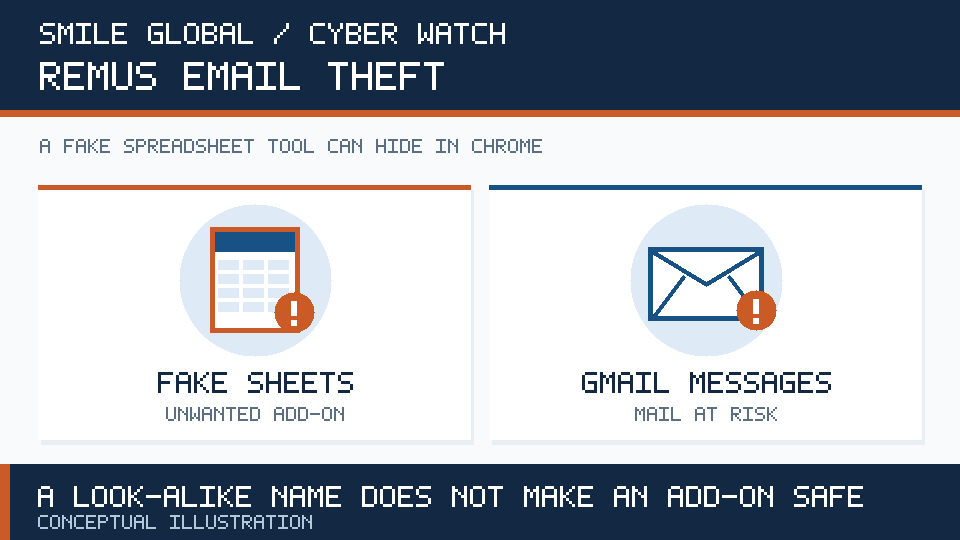
On November 8, 2026, the people behind Remus promoted a feature they claimed could keep stealing Gmail messages after password changes. They attributed it to a previously unknown flaw in Gmail. On November 24, Gen Threat Labs published its analysis and described a different explanation: a malicious extension installed in Chrome.
The extension uses the name Google Sheets but is not the legitimate Google Sheets application. It can collect messages from Gmail when the user is signed in through the affected browser. If it stays installed, its access can return the next time that person signs in. The analyzed feature does not establish that Gmail has a previously unknown security flaw.
Hudson Rock's November 24 research update and BleepingComputer's November 26 coverage provide additional context. The researchers have not established that every Gmail user or every Google Sheets user is affected. This particular behavior requires the compromised browser.
Why a password change may not be enough
When you sign in to an online account, the service remembers that you are signed in. That way, you do not need to enter your password each time you open an email or move from one page to another. This temporary access is often called a session.
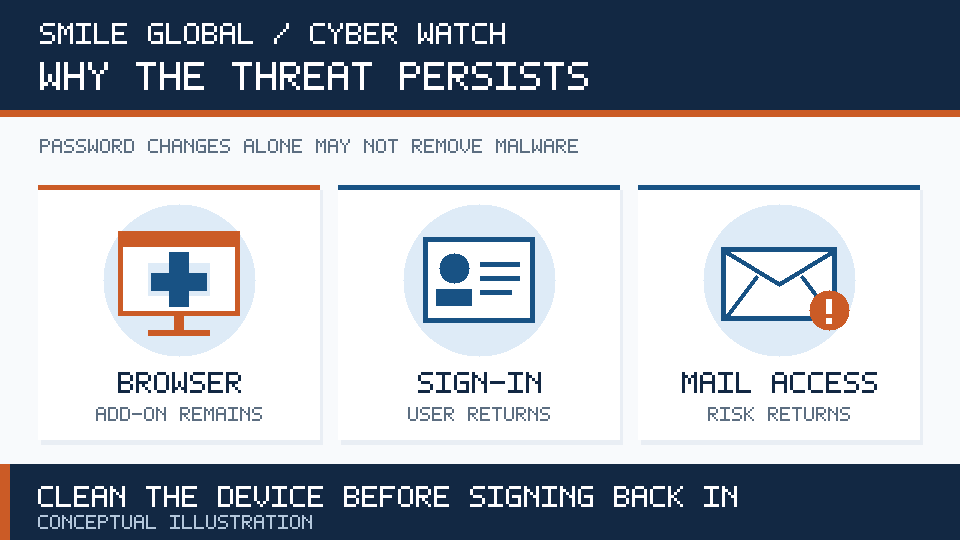
Ending a session helps remove access that was granted earlier. Changing the password helps stop someone from using the old password. Both can be useful if an account has been compromised. But neither action removes unwanted software from your computer.
Think of the difference between replacing the key to your front door and repairing a broken lock. A new key may be helpful, but it will not repair the lock. In this example, the computer and browser also need attention. Signing in on an affected device again may give the unwanted extension another opportunity to access your email.
This is why your security team may ask you to use a different computer while they investigate. It is not a punishment or a sign that your email account can never be trusted again. It is a way to stop a known or suspected problem from interfering with the recovery process.
Why stolen emails matter to small businesses
Email is one of the busiest tools in many small offices. A bookkeeper receives payment requests. A sales team receives customer orders. A manager gets notices from insurance providers and suppliers. Each message may contain information that can help a criminal pretend to be someone the business already knows.
A scam that refers to a real invoice or a conversation about a delivery may be more convincing than a random message. The person receiving it may think the sender must be legitimate because the details look right. That is one reason to use a trusted phone number when confirming any unexpected change to payment instructions.
Medical offices and other organizations that handle sensitive information also need a clear reporting process. If a mailbox may have been compromised, the IT and privacy teams should determine what happened and which information was at risk. Do not assume that a particular record was stolen without evidence, and do not wait for absolute certainty before reporting a suspected problem internally.
Remus is distinct from the SYS010 campaign we have also covered. Both stories highlight browser and device security, but the tools, findings and affected accounts should not be treated as one incident.
What should you do if your browser may be infected?
Stop using the suspect computer for email, payments and other sensitive work. Tell your IT provider or security team what you noticed. If the computer belongs to your employer, follow the organization's instructions rather than attempting your own cleanup. Your IT team may need to preserve evidence and isolate the device before it repairs anything.
From a separate trusted device, work with the account administrator to recover the affected email account. Review sign-in history, end suspicious sessions and change the password when appropriate. Check for unfamiliar recovery information, connected applications and mailbox rules. If you use the same computer for other business accounts, tell the security team so it can assess those accounts too.
Ask IT to investigate the computer, installed browser extensions and any unexpected browser changes. Removing an add-on is not necessarily proof that the original malware is gone. The team may need to rebuild the computer or restore a known safe configuration, depending on what the investigation finds.
Finally, review the period when the computer may have been infected. If an unusual payment request, customer complaint or account warning arrived around that time, report it. Keep records of what the team finds, what it changed and which accounts were checked.
How can businesses reduce browser-extension risks?
Create a simple rule for installing browser extensions at work. Employees should request the tools they need through an approved process. Your IT team can review what permissions an extension requests and whether its publisher is trustworthy. Managed browser policies may also help limit extensions to an approved list.
Keep browser updates and security software current. Teach employees to ask questions when they notice an unfamiliar add-on or an unexpected setting. On managed work computers, some settings are intentionally controlled by IT. A new setting should be checked before anyone changes it.
Do not rely on passwords alone. Strong sign-in protection, careful control of device access, timely software updates and a clear incident response plan work together. Every business can start with these practical questions without needing to understand how the malware was built.

Frequently asked questions
Is the real Google Sheets application unsafe?
The research concerns a malicious Chrome extension that uses the Google Sheets name. It does not establish that the official Google Sheets service is compromised.
Is Remus a confirmed Gmail zero-day vulnerability?
No. Gen Threat Labs traced the advertised email theft feature to a malicious browser extension rather than a demonstrated flaw in Gmail.
Will signing out of Gmail stop the risk?
Ending the session can stop access through that session, but the unwanted extension can remain on the device. It may resume accessing email after you sign in again.
How can my IT provider check for this threat?
Ask for an endpoint security review, an inspection of browser extensions and unexpected browser settings, and an account security review. The appropriate cleanup depends on the findings.
Take the next step
The important lesson is simple: changing a password is not the same as cleaning a computer. If your team suspects an infection, work from a trusted device and involve IT before returning to normal use. For more information about protecting business computers and accounts, see Smile Global's cybersecurity services.