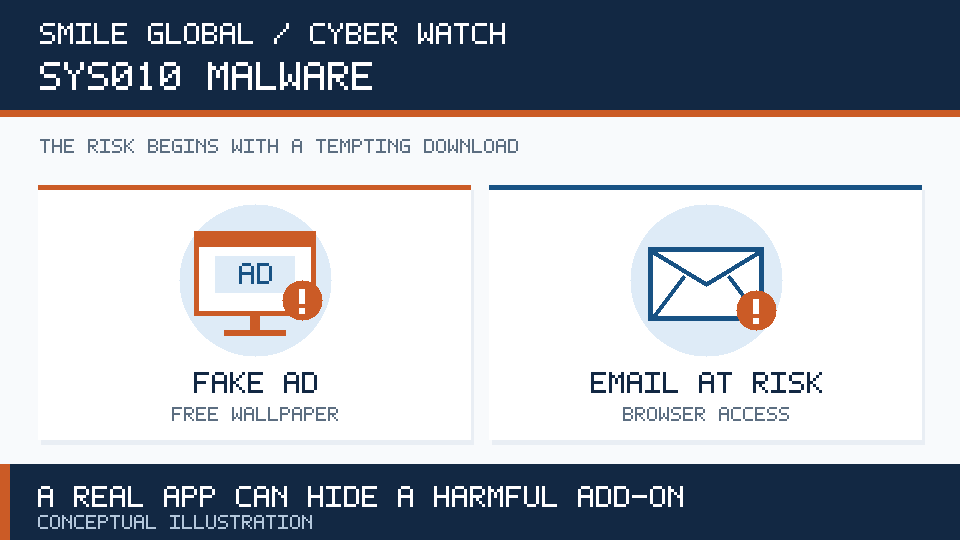
Imagine downloading a free app to change the background on your office computer. It works just as you expected. A few days later, you notice a strange charge on your business advertising account. You check your email for a warning, but you cannot find one. That is the kind of risk behind the SYS010 malware campaign.
On November 26, 2026, Bitdefender Labs published research about a new version of an information-stealing threat. The report matters to anyone who uses a Windows computer for business email, social media or online advertising. The concern is not that all Gmail and Outlook accounts have been breached. It is that a compromised computer can put the accounts you use on it at risk.
In this article
- What is the SYS010 malware campaign?
- Why would criminals want access to business email?
- How can a browser extension put your business at risk?
- What should a small business do before an infection?
- What to do if you suspect SYS010 on a computer
- Frequently asked questions
- Take the next step
What is the SYS010 malware campaign?
In its November 26 research report, Bitdefender said it first identified a malicious advertisement on October 16. The campaign promotes free animated wallpaper software through paid ads on Meta platforms. The download may provide the expected feature while installing harmful software without the person's knowledge.
Researchers found that the campaign targets access to business pages, advertising accounts and other Meta information. They also found a Chrome browser component that could read recent messages in web versions of Gmail and Outlook and delete selected emails. Harmful extensions can be forced into several browsers using management settings that normally help companies control their devices.
That distinction is important. The research describes what the malware can do. It does not establish that every person who saw an ad was infected or that all business email accounts are at risk in the same way. Independent reporting from BleepingComputer also describes the campaign and its use of browser management features.
Why would criminals want access to business email?
Email is often where your business receives its most important messages. It may contain customer requests, invoices, shipping information and links to other services. It is also a place where many services send alerts when something unusual happens to your account.
Think about a small company that runs online ads. If someone gains access to its marketing account, the owner may receive a security alert by email. If the same criminal can read or remove messages from that mailbox, the owner may not see the warning. A normal workday can continue while a problem grows in the background.
A medical office faces a different kind of concern. Staff use email to communicate with vendors, receive documents and manage appointments. A stolen mailbox could expose information about patients or business operations. The exact impact would depend on the account and what was stored in it. This is a practical example, not a claim that the campaign has caused a specific healthcare breach.
How can a browser extension put your business at risk?
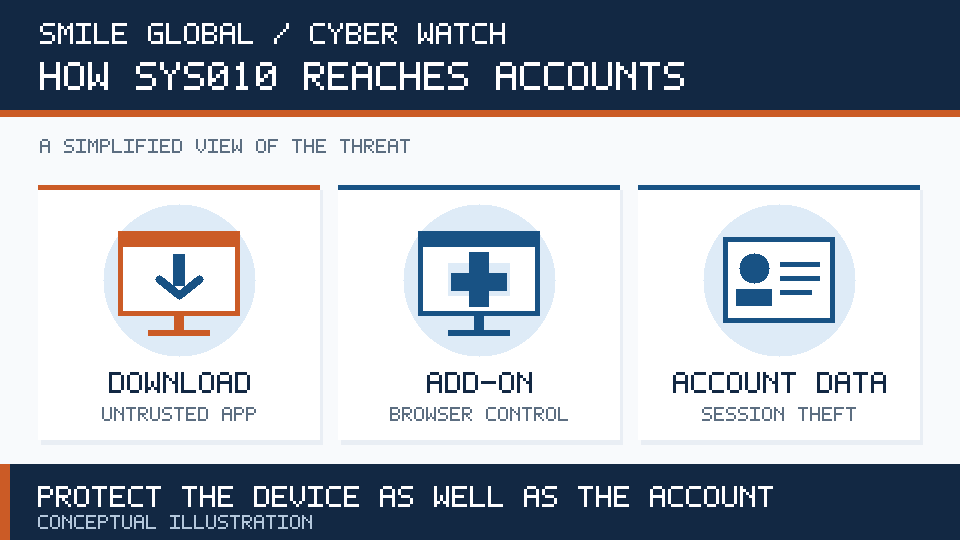
A browser extension is a small add-on that gives your browser extra features. Some help people manage documents, block unwanted content or use a password manager. Extensions can be useful, but they may also have permission to view or change information on websites you visit.
A criminal does not always need to break into the email provider itself. If malicious software is already on a computer, it may misuse access that belongs to the person who is signed in. A stolen login session can sometimes allow someone to act as the user even without knowing the password. That is why protection must include both the account and the device.
In a business, IT staff may manage browser settings so employees receive trusted extensions and consistent security controls. An unexpected change in those settings deserves attention. A message saying a browser is managed by an organization can be normal on a work computer, but a new or unfamiliar management policy on a personal device should be investigated. Do not remove legitimate company settings without checking with your IT team.
What should a small business do before an infection?
Start with the software your employees are allowed to install. Have a simple approval process for new applications and browser extensions. Teach staff to obtain work software from the official vendor or company-approved software catalog. A paid advertisement, attractive video or familiar logo is not proof that a download is safe.
Ask your IT provider to review which people have administrator rights on work computers. Most day-to-day work does not require unrestricted access to install software. Restricting those rights and controlling extensions can make unwanted changes harder.
Keep endpoint security and browser updates current. Endpoint security is protection on the computers and servers your business uses. Monitoring can help an IT team identify unexpected programs or changes to browser and account settings. No tool is perfect, so employees should also know how to report anything that looks unusual.
Review your business advertising and email accounts regularly. Remove access that former employees or vendors no longer need. Use strong sign-in protection and turn on available security notifications. Our guide to protecting business accounts from voice phishing explains why it also helps to verify unexpected requests with a trusted contact.
What to do if you suspect SYS010 on a computer
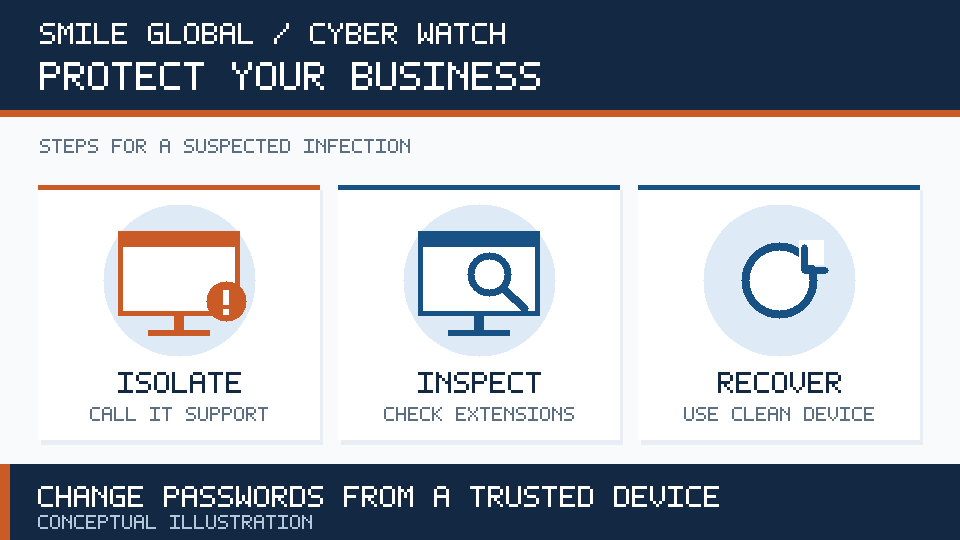
If someone believes they installed a harmful download, ask them to stop using that computer and notify IT. Follow the organization's incident response process. For a managed device, the security team may need to isolate it from the network and collect information about what happened before cleaning or restoring it.
Do not change your important passwords using the computer you suspect is infected. Use a separate trusted device and work with the account administrators. They can review sign-in history, revoke existing sessions and look for unwanted access, forwarding rules or changes to account recovery settings. Check advertising account roles and billing activity if those accounts were used on the affected machine.
Your IT team should inspect the computer for other malware and unexpected browser policies, not simply remove one suspicious add-on. If it cannot establish that the device is safe, rebuilding it from a trusted source may be necessary. If business or patient information may have been exposed, follow your organization's reporting and privacy procedures.
Frequently asked questions
Can SYS010 read Outlook and Gmail messages?
Bitdefender documented a malicious Chrome component with access to recent messages in signed-in webmail accounts. That is a risk on an infected device, not evidence that Gmail or Outlook itself has suffered a general breach.
Is every animated wallpaper app dangerous?
No. The report concerns deceptive downloads used in this campaign. Obtain software through verified sources and ask IT before installing unfamiliar apps on work computers.
Will changing my password remove the malware?
No. Changing a password does not clean a device. Isolate and investigate the computer, then recover accounts and revoke sessions using a trusted device.
Can a business allow only approved extensions?
Many managed browsers support policies that control which extensions are allowed. Ask your IT provider to configure them for your organization and review unexpected changes.
Take the next step
A small business does not need to give up useful browser tools. It needs a sensible way to decide which tools belong on its computers and how to respond when something goes wrong. If you have questions about these protections, learn more about Smile Global's cybersecurity services. Start by checking which applications and extensions your employees use today.